
Debt Sizing / Senior Acquisition Loan Sizing (Sources of Funds tab)
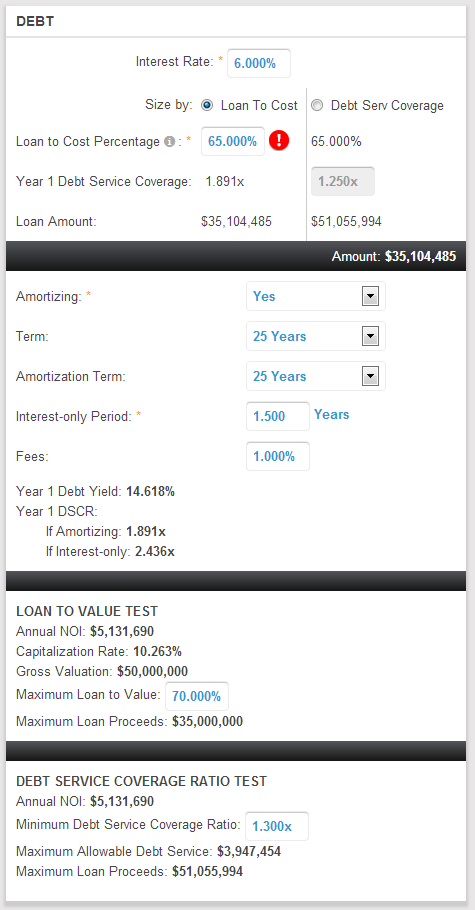
To size the senior acquisition loan, use the Debt box on the Sources of Funds page and select the radio button for the desired sizing method (Loan To Value or Debt Service Coverage). The Loan Amount that results from each sizing methods appears in the Loan Amount row immediately beneath the Year 1 Debt Service Coverage row. The currently selected Loan Amount appears in the black bar beneath the Loan Amount row.
Regardless of the sizing method, validation warning red and white exclamation mark icons will appear if the Loan Amount calculated by the currently selected sizing method exceeds the Loan to Value Test Maximum Loan Proceeds. These warning icons can be suppressed by following the instructions given in the tool tip that appears when you hover your mouse over the warning icon.
The Year 1 Debt Service Coverage ratio input in the top-most section of the Debt box is tied to Minimum Debt Service Coverage ratio input in the bottom-most section of the Debt box. Whichever one is updated last, that value will override the value in the other input box.
Comments
0 comments
Please sign in to leave a comment.